Windows 10 / 11 · Version 1.0

HireConvert PRO

"File too large" no more. Pick 16 MB for WhatsApp, 25 MB for email or 8 MB for Discord, and HireConvert Pro shrinks your video to fit while keeping it as sharp as possible. Plus video to GIF, resizing, and everything in HireConvert.

£9.99one-off · perpetual licence · no subscription
Buy Pro — £9.99 →
Already bought HireConvert for £1? Upgrade for £8.99.

Paste the licence key from your HireConvert purchase page and you only pay the difference.

Upgrade to Pro — £8.99 →
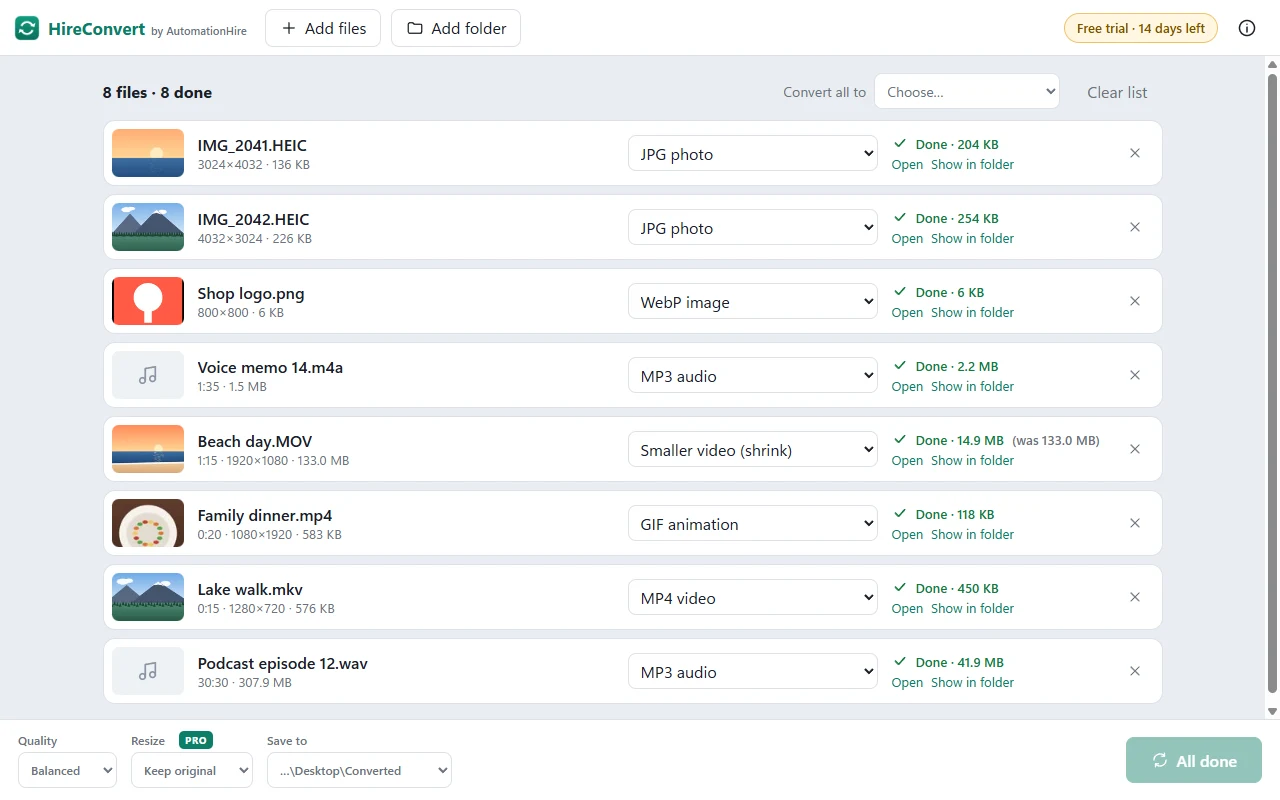
📦 Shrink to a sizeA 133 MB phone video down to 14.9 MB for WhatsApp — in about a minute
🎞️ Video to GIFLooping GIFs with smooth colours, sized for chats and websites
📐 ResizeVideos and photos to 1080p, 720p or 480p, portrait or landscape
🎵 Video to MP3And every other HireConvert format: MP4, MOV, WebM, WAV, FLAC…
📱 iPhone photosHEIC to JPG, PNG or WebP, the right way up
🔒 PrivateAll on your PC. No uploading, no size limits, no watermark
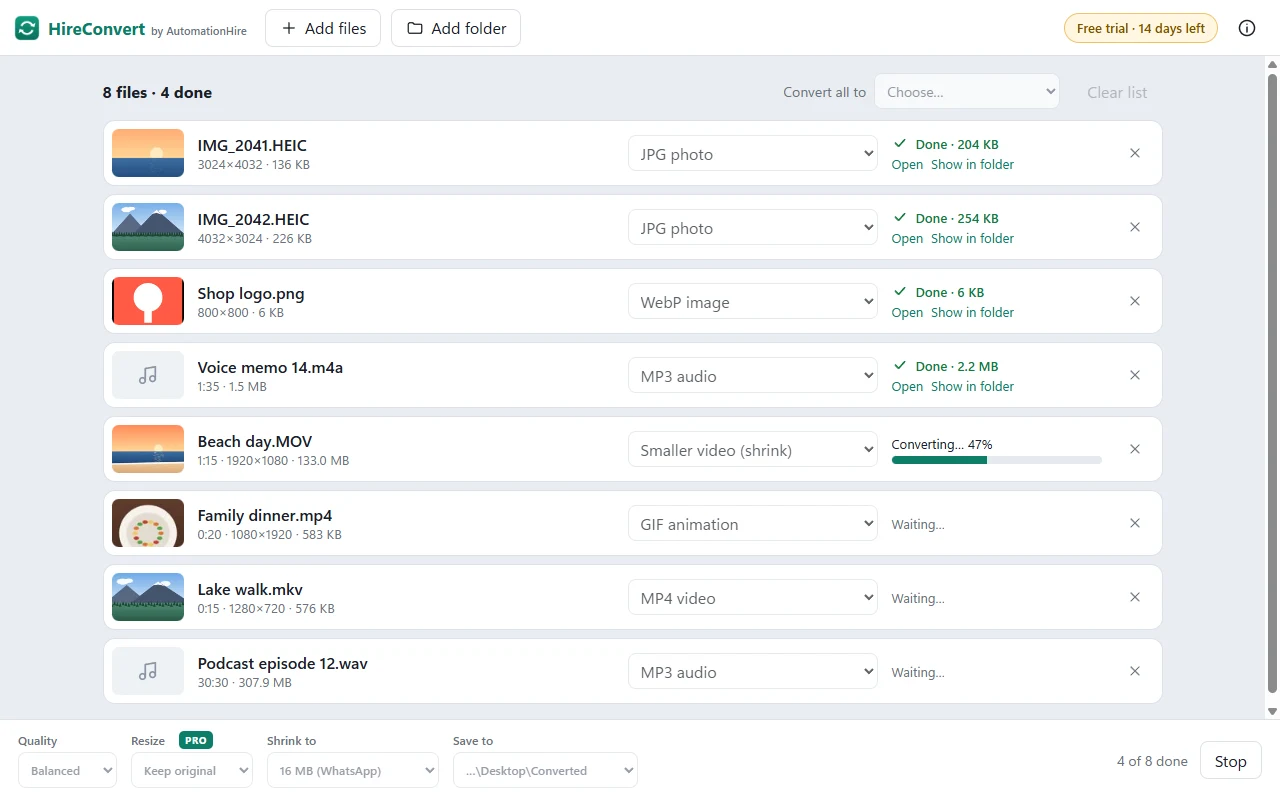
HireConvert Pro shrinking a beach video for WhatsApp
Real screenshot: shrinking a 133 MB video to fit WhatsApp's 16 MB limit.
See it in action

HireConvert after converting eight files
Eight files in one go: iPhone photos, a logo, voice memos, videos and a podcast
HireConvert shrinking a video with a progress bar
Every file shows its progress. Your originals are never changed
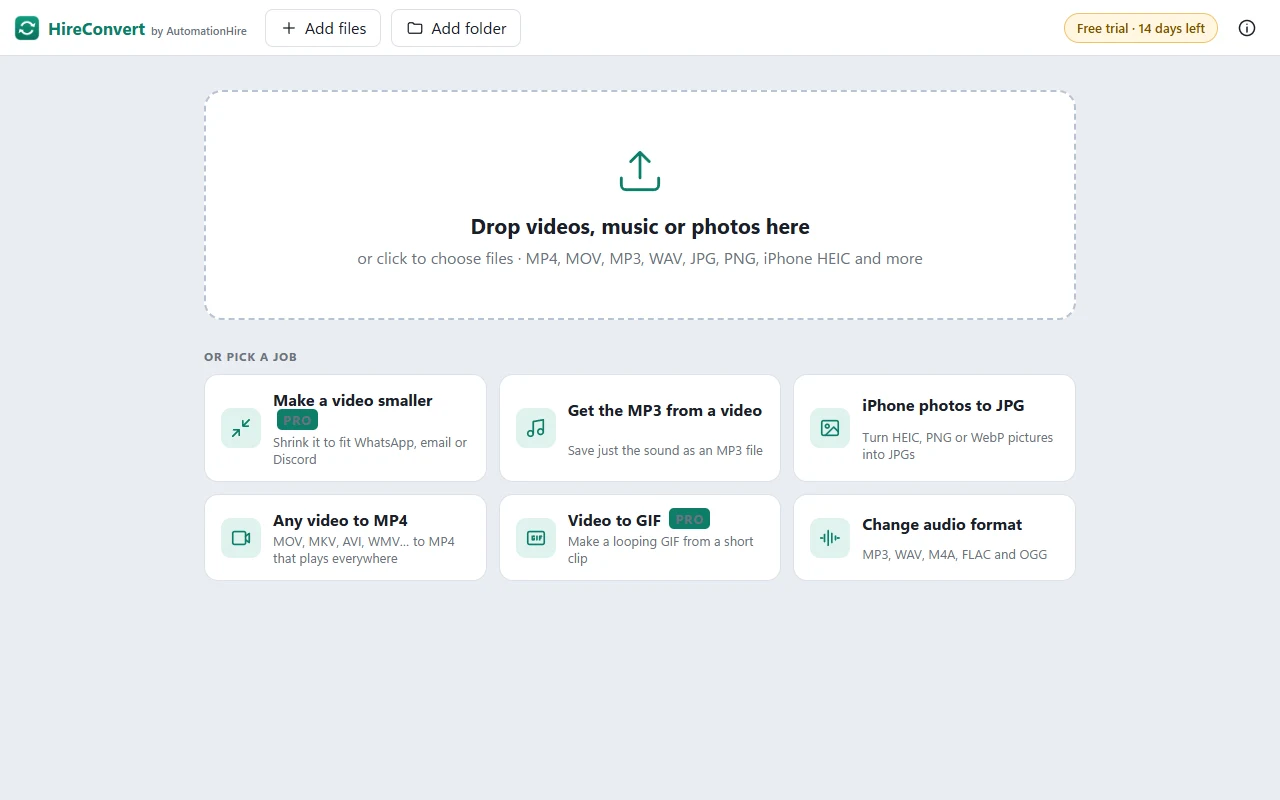
HireConvert start screen with one-click jobs
Drop files in, or pick a job: shrink a video, get the MP3, iPhone photos to JPG
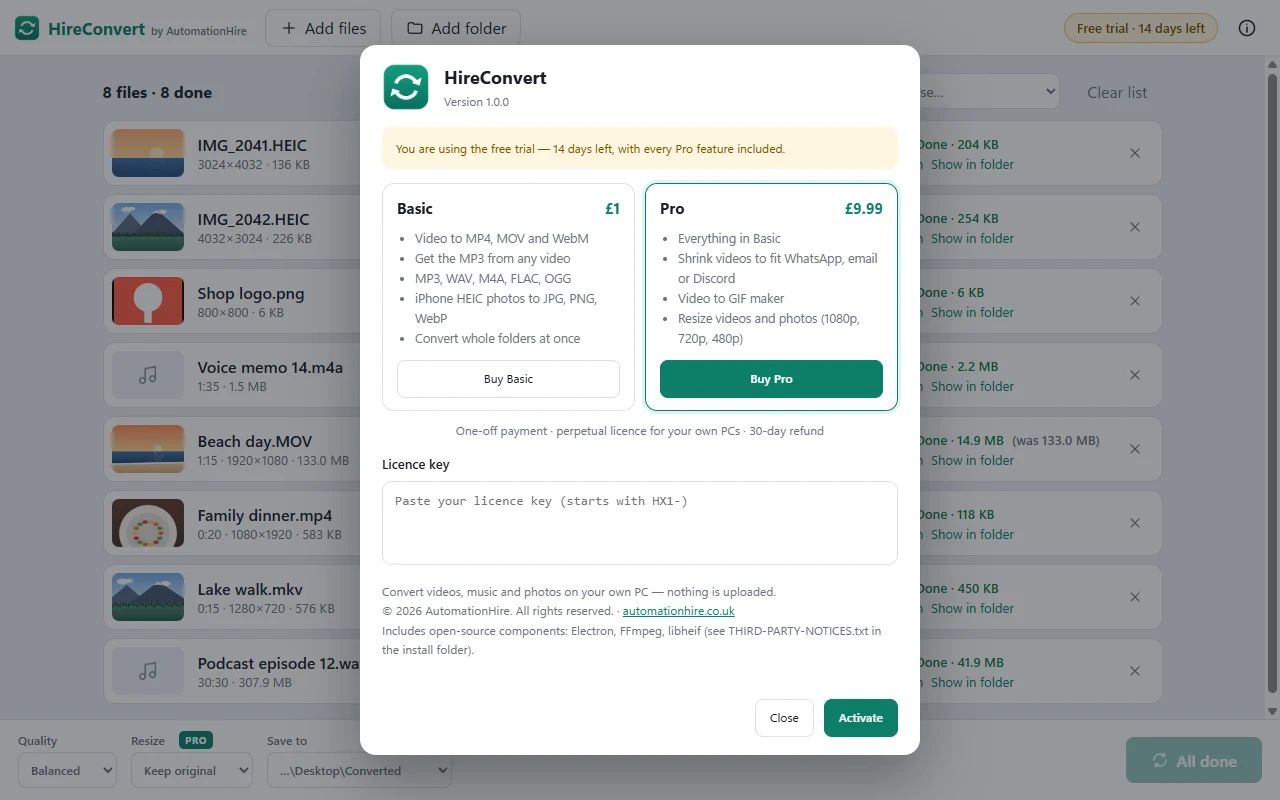
HireConvert Basic and Pro editions
Every download includes Pro free for 14 days

HireConvert or Pro?

FeatureHireConvert · £1HireConvert Pro · £9.99
Any video to MP4, MOV or WebM✓✓
Get the MP3 (or M4A, WAV) from a video✓✓
Audio between MP3, M4A, WAV, FLAC and OGG✓✓
iPhone HEIC photos to JPG, PNG or WebP✓✓
Whole folders at once, right-click to convert✓✓
Quality: best, balanced or smaller file✓✓
Shrink a video to fit WhatsApp, email or Discord14-day trial✓
Turn a video into a GIF14-day trial✓
Resize videos and photos (1080p, 720p, 480p)14-day trial✓

Every HireConvert download includes the Pro features free for 14 days. After that, £1 owners keep everything in the first column, and can upgrade to Pro for £8.99 with the box at the top of this page. Same app: your Pro key simply unlocks the extra features.

What it converts

Videos inMP4, MOV (iPhone), MKV, AVI, WMV, WebM, M4V, 3GP, MPG, TS/MTS, GIF
Videos outMP4 (plays everywhere), MOV, WebM — plus Pro: smaller MP4 to a size you choose, and GIF
Audio inMP3, WAV, M4A, AAC, FLAC, OGG, Opus, WMA, AIFF, AMR — or the sound from any video
Audio outMP3, M4A, WAV, FLAC (lossless), OGG
Photos iniPhone HEIC/HEIF, JPG, PNG, WebP, BMP, TIFF
Photos outJPG, PNG, WebP — see-through PNGs get a white background in JPG, phone photos stay the right way up

Built with AI — and tested by it

HireConvert was built by Claude Code for AutomationHire. Claude wrote the app, then drove it like a user to test it: converting dozens of real video, audio and photo files, shrinking videos to WhatsApp size, and checking every result. It caught and fixed bugs along the way, including iPhone photos coming out sideways and a video setting that could make a conversion hang. It's a working example of what AutomationHire builds for businesses.

Requirements

SystemWindows 10 or 11, 64-bit
DownloadHireConvert-Setup-1.0.0.exe — about 150 MB, installs for your user account (no admin needed). HireConvert and HireConvert Pro use the same installer; your key decides the edition
PrivacyEverything happens on your PC. Files are never uploaded, there's no account, and it works offline
Your filesConverted copies are saved next to the originals (or a folder you choose). Originals are never changed
LicencePerpetual, for your own PCs. Personal or commercial use

Install in a minute

  1. Buy above — you'll come straight back here with a Download button and your licence key.
  2. Run HireConvert-Setup-1.0.0.exe.
  3. If Windows shows "Windows protected your PC", click More info → Run anyway. This appears for new apps from small publishers that haven't bought a code-signing certificate yet.
  4. Accept the licence and click Install. HireConvert opens from your desktop or Start menu, and you'll find Convert with HireConvert when you right-click a video, song or photo.
  5. Paste your Pro licence key when you first open HireConvert: click the badge at the top right, paste, Activate. Upgrading from £1? Just paste the Pro key over your old one — no reinstall needed.

FAQ

I already bought HireConvert for £1. Do I pay £9.99?

No — paste your HireConvert licence key into the upgrade box at the top of this page and Pro costs £8.99, the difference. You get a new Pro key; paste it into HireConvert and the Pro features unlock straight away.

How small can it make a video?

You pick the size: 8, 16, 25, 50 or 100 MB. HireConvert works out the best quality that fits and lowers the resolution if it needs to. Very long videos can't fit into very small sizes — if that happens it tells you to pick a bigger size or trim the video first.

Are my files uploaded anywhere?

No. Unlike online converters, HireConvert runs entirely on your PC. Your videos and photos never leave it, there's no file-size limit, and there's no account to create.

Does it change my original files?

No. HireConvert always saves a new file, for example Holiday.mp4 next to Holiday.MOV. If a file with that name already exists, it adds a number instead of overwriting it.

Can I convert lots of files at once?

Yes. Drop in as many files as you like, or a whole folder, and pick "Convert all to". HireConvert works through them one by one and shows each one's progress.

Mac or Linux?

Windows only for now. Tell us if you'd like a Mac version.

Refund policy?

If HireConvert doesn't install or work as described on Windows 10/11, email hello@automationhire.co.uk within 30 days for a full refund.

What's included under open-source licences?

HireConvert uses Electron, FFmpeg and libheif. Their licences, and where to get FFmpeg's source code, are in THIRD-PARTY-NOTICES.txt in HireConvert's install folder.

£9.99one-off · perpetual licence · no subscription
Buy Pro — £9.99 →