Windows 10 / 11 · Version 1.2

HireCast

Record your screen with your computer's sound and your voice, then turn it into a video people actually want to watch — auto-zoom on every click, AI captions, transitions, and export for YouTube or TikTok.

£1one-off · perpetual licence · no subscription
Buy — £1 →
🎁 Goes free for everyone when our YouTube channel hits 10,000 subscribers. £1 now gets it today — and supports the next app.
📷 Want your face in the video? HireCast Pro adds a webcam bubble, camera-only recording, MP3 conversion and song-to-text — £9.99, or £8.99 if you've bought HireCast.
Screen recorderAny screen or window, computer sound + your microphone, live level meters
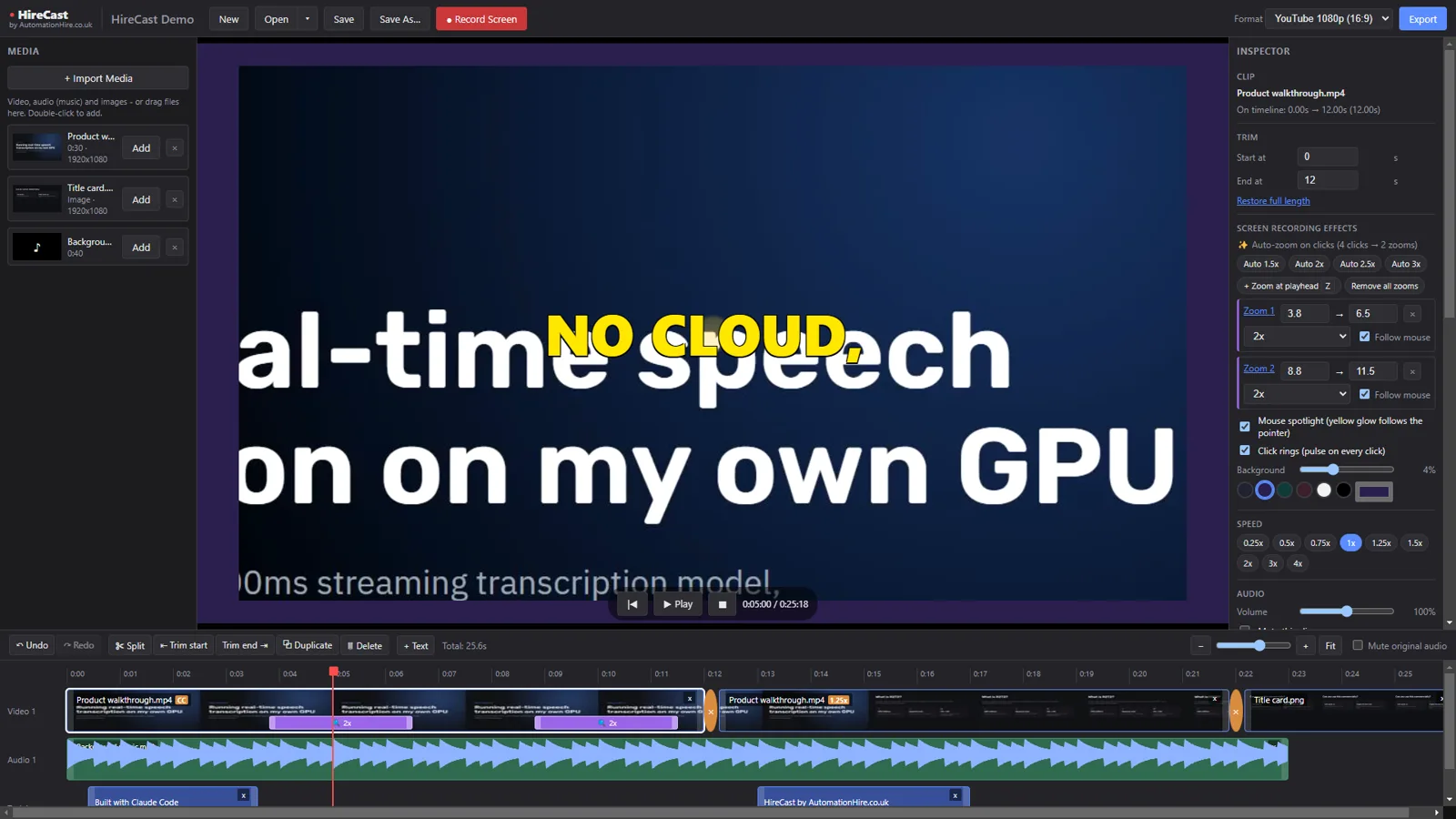
Auto-zoom on clicksSmooth zooms that follow your mouse, plus cursor spotlight and click rings
Full editorSplit, trim, reorder, speed, colour, fades, 10 transitions, undo/redo
AI captionsTranscribed on your own PC with Whisper — 6 styles, edit any word
Silence removerOne click cuts the pauses out of talking-head footage
Export anywhereYouTube 16:9, TikTok / Shorts 9:16 or square — MP4
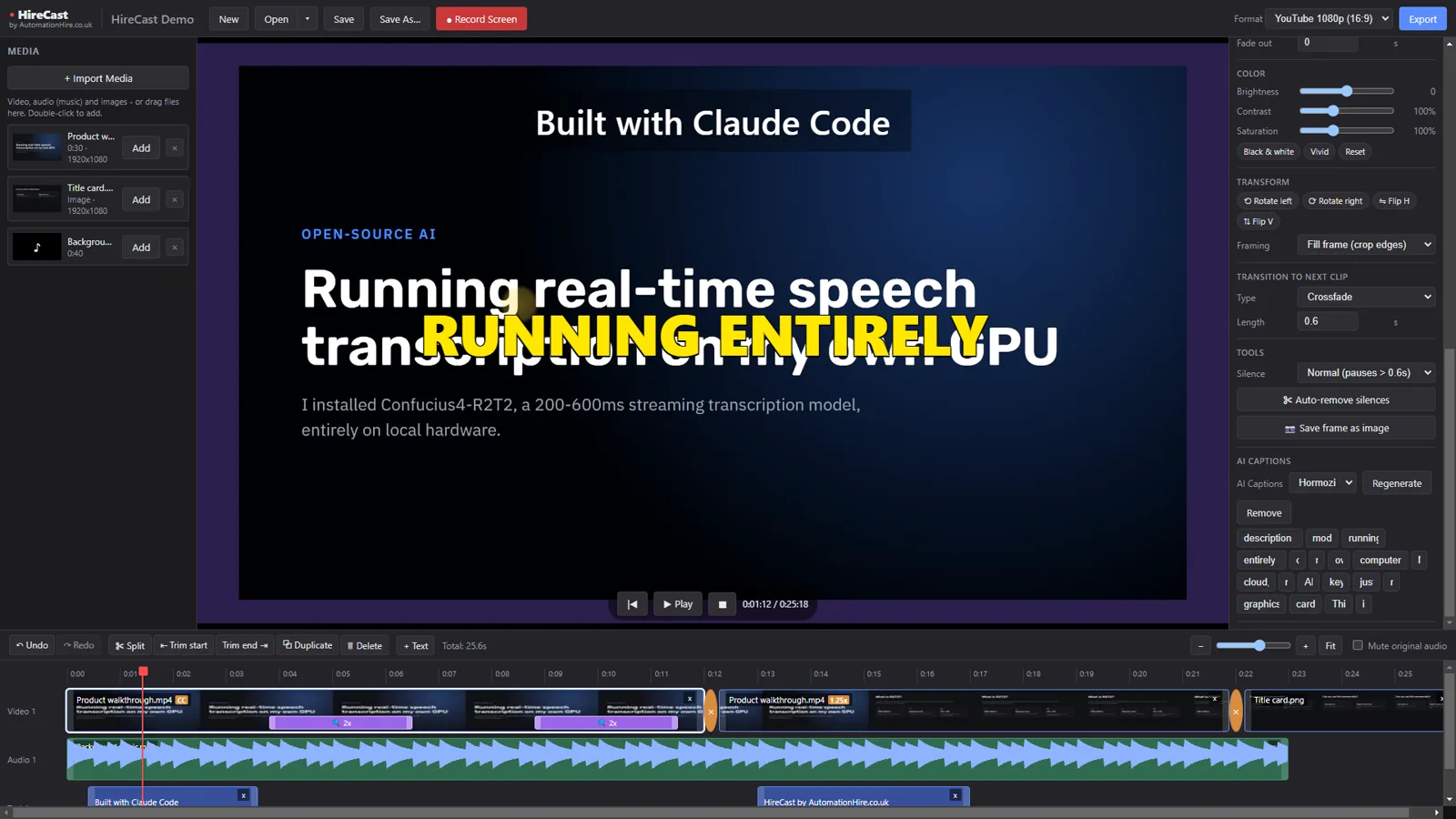
Real footage: HireCast playing back a recording with auto-zoom, cursor spotlight and AI captions.
See it in action

HireCast editor with timeline, zoom regions and captions
The editor — timeline with filmstrips, waveforms and zoom bars
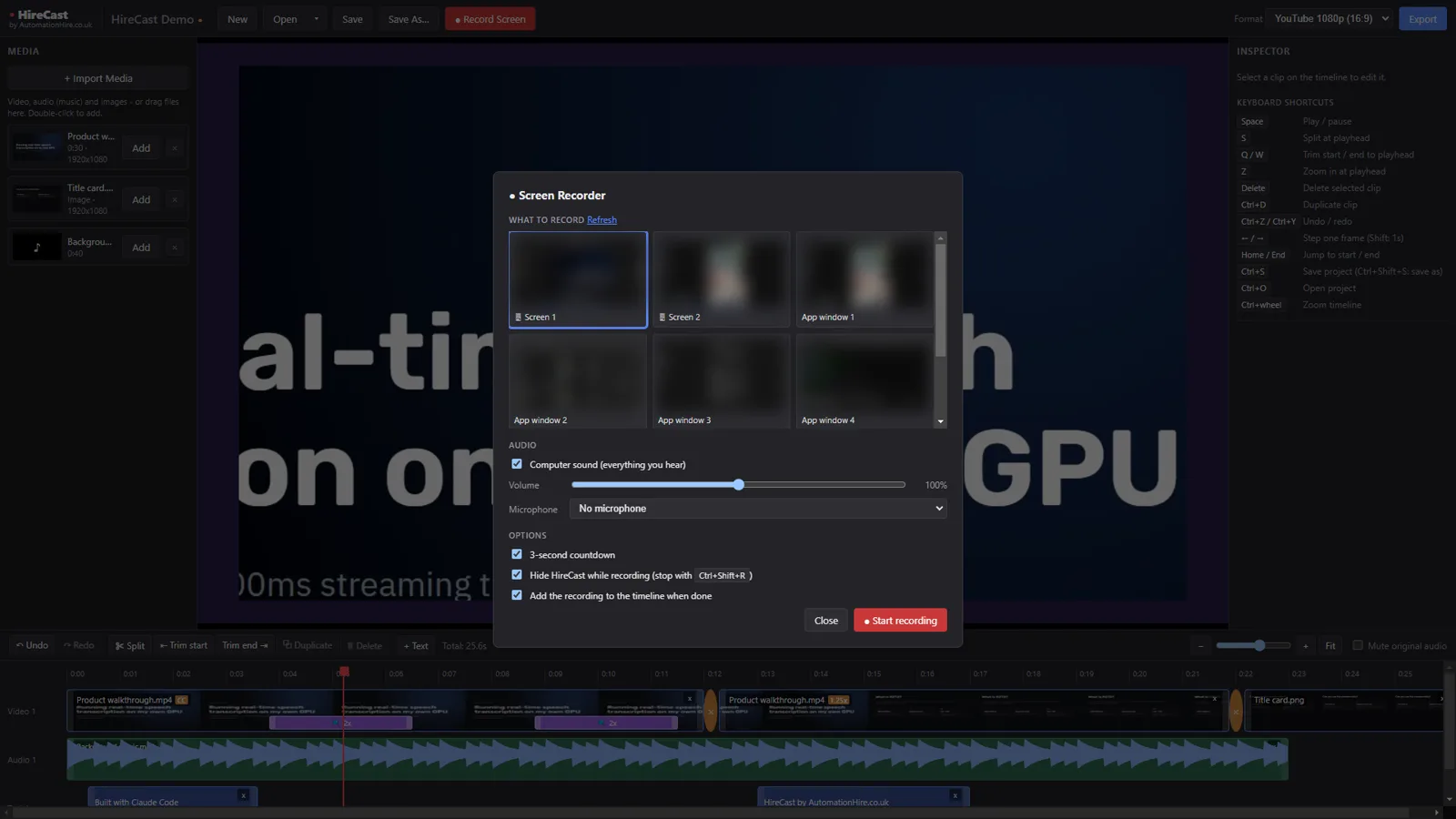
HireCast screen recorder dialog
Screen recorder — pick a screen or window, mix computer sound and mic
AI captions panel in HireCast
AI captions — fix any word before exporting
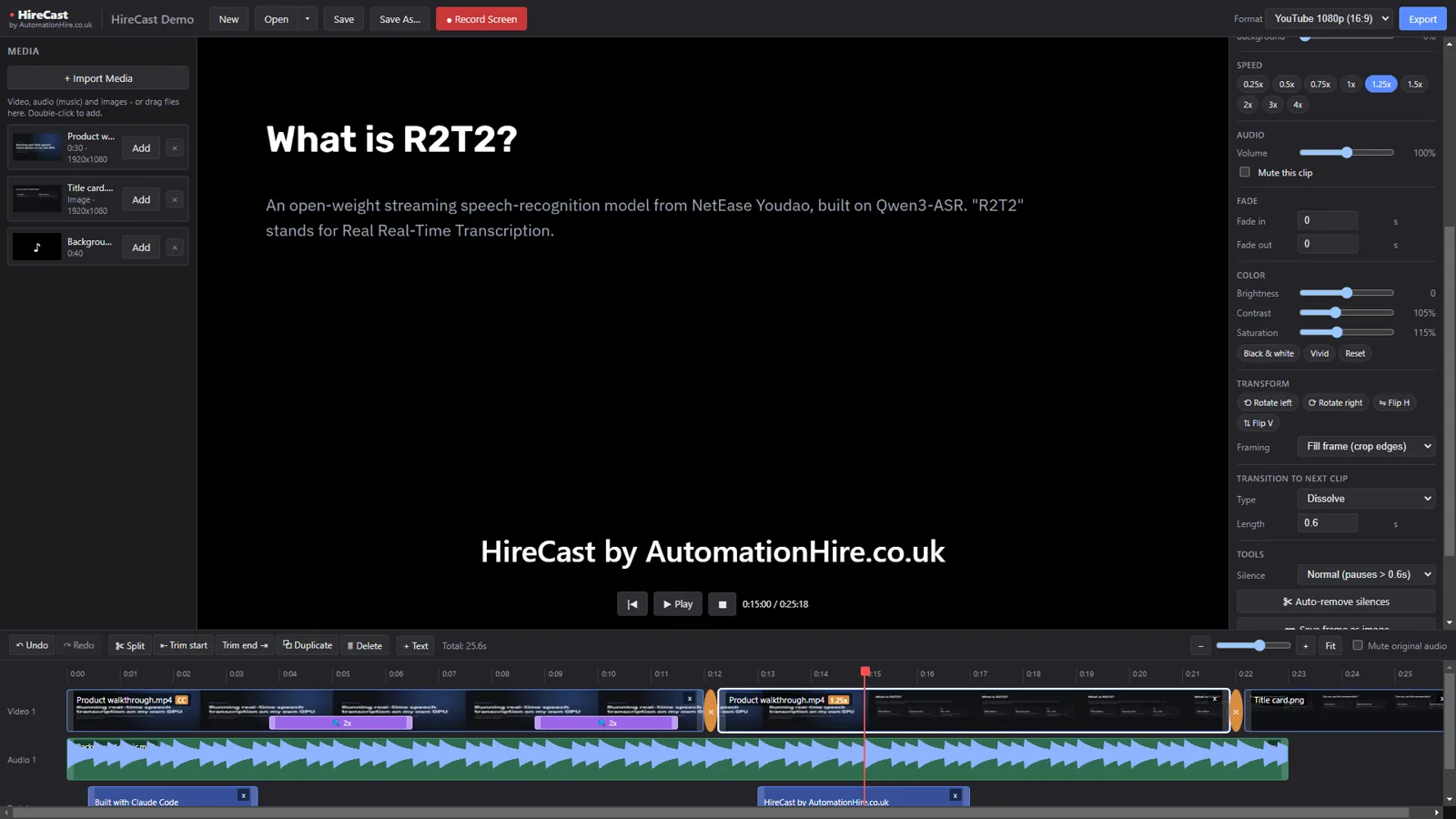
Clip inspector with colour, speed and transitions
Per-clip speed, colour, framing and transitions
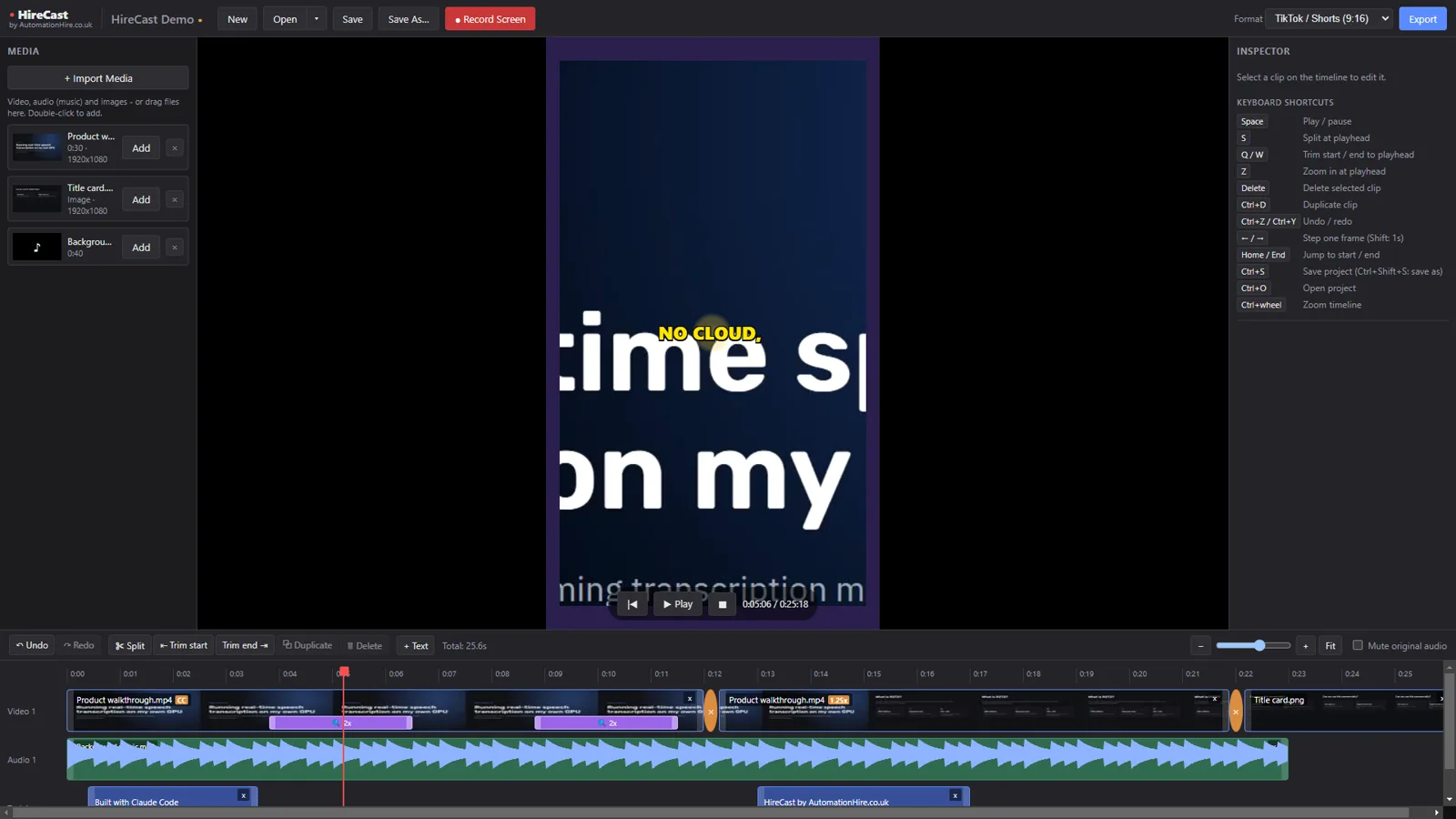
HireCast previewing a 9:16 TikTok format
Switch to 9:16 for TikTok and Shorts — the preview matches the export

Built with AI — and tested by it

HireCast started as a single rough sentence typed to Claude Code: "I need to trim and all other edit." Claude built the editor, the screen recorder and the auto-zoom, then drove the real app itself to test it — finding and fixing 12 bugs along the way and finishing with 26 out of 26 automated checks passing. It's a working example of what AutomationHire builds for businesses.

Requirements

SystemWindows 10 or 11, 64-bit
DownloadHireCast-Setup-1.2.5.exe — about 120 MB, installs for your user account (no admin needed)
RecordingAny microphone Windows can see. Computer sound is captured directly — no virtual cables
AI captions (optional)Python 3.10+ from python.org, then once: pip install faster-whisper pysubs2. Everything else works without Python
LicencePerpetual, for your own PCs. Videos you make are 100% yours — personal or commercial use

Install in a minute

  1. Buy above — you'll come straight back here with a Download button and your licence key.
  2. Run HireCast-Setup-1.2.5.exe.
  3. If Windows shows "Windows protected your PC", click More info → Run anyway. This appears for new apps from small publishers that haven't bought a code-signing certificate yet.
  4. Accept the licence and click Install. HireCast opens from your desktop or Start menu.
  5. Paste your licence key when HireCast asks for it — just once per PC.

FAQ

Is it really just £1?

Yes — one payment, no subscription, no account, no adverts. And when our YouTube channel reaches 10,000 subscribers, HireCast becomes free for everyone.

Does it watermark my videos?

No. There's no watermark and no export limit.

Can I record system audio and my mic at the same time?

Yes. HireCast mixes your computer's sound and your microphone into one track, with separate volume controls and live level meters. If your chosen mic isn't sending any sound (common with Elgato Wave Link or NVIDIA Broadcast setups), it warns you before you record and suggests the right input.

How does auto-zoom work?

When you record a whole screen, HireCast also records where your mouse is and when you click. One button then adds smooth zooms around your clicks that follow the pointer. You can drag the zoom bars on the timeline to stretch or move them, or add your own.

Mac or Linux?

Windows only for now. Tell us if you'd like a Mac version.

Refund policy?

If HireCast doesn't install or work as described on Windows 10/11, email hello@automationhire.co.uk within 30 days for a full refund.

What's included under open-source licences?

HireCast uses FFmpeg (GPL v3) for video processing, plus Electron and other open-source components. Their licences and the FFmpeg source link are installed in HireCast's licenses folder.

£1one-off · perpetual licence · no subscription
Buy — £1 →